Choose what counts as a signup
Tell SimpleDash which Google Analytics event means a signup, so the Signups number counts it. Pick a key event, and never see a fake zero.
Google Analytics doesn't know which of your events means "someone signed up". Pick it once in the Signups number, and SimpleDash counts it for every date range, including the history GA4 already has.
Pick your signup action
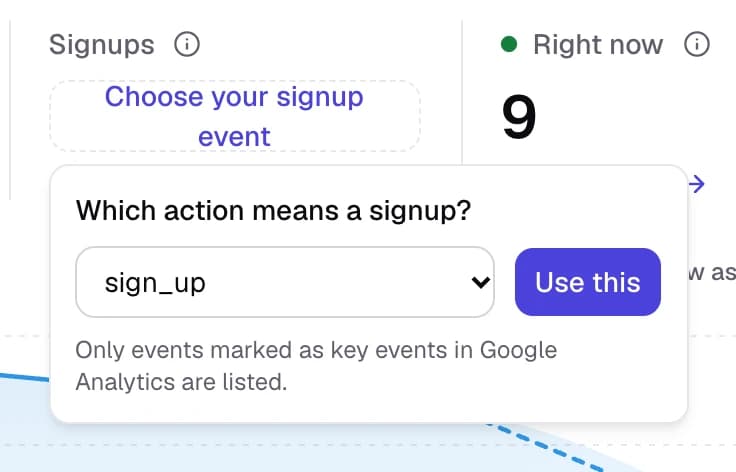
Open your dashboard. Until you've chosen an action, the Signups number says "Which action means a signup?"
Pick an event from the list. The list shows your GA4 key events (what GA4 used to call conversions), such as sign_up or generate_lead.
Done. Signups now counts that event, compared with the period before, and the Monday email includes it.
To change it later, use the pencil next to the Signups number.
No events in the list?
The list only shows events you've marked as key events in GA4. If it's empty, either:
- your site doesn't send a signup event yet: Track signups in GA4 shows two ways, one of which needs no code, or
- the event exists but isn't marked yet: Mark a key event in GA4 takes a minute.
Why the count can go back further than the key event
SimpleDash counts how many times the event happened (GA4's event count), not GA4's key event total. GA4 only counts key events from the day an event was marked as one, so older periods would show zeros that aren't true. The event count covers every day the event was sent.
One action per site
Each site has its own signup action. If you run several sites, set it on each one.
Related
Last updated
What changed
The card under your four numbers shows which sources moved them against the period before, the landing pages behind each move, and Google searches.
Date ranges and comparisons
How SimpleDash date ranges work: Today, the last 7 or 30 days and 12 months include today, how numbers are compared, custom dates, and the keyboard keys.