What changed
The card under your four numbers shows which sources moved them against the period before, the landing pages behind each move, and Google searches.
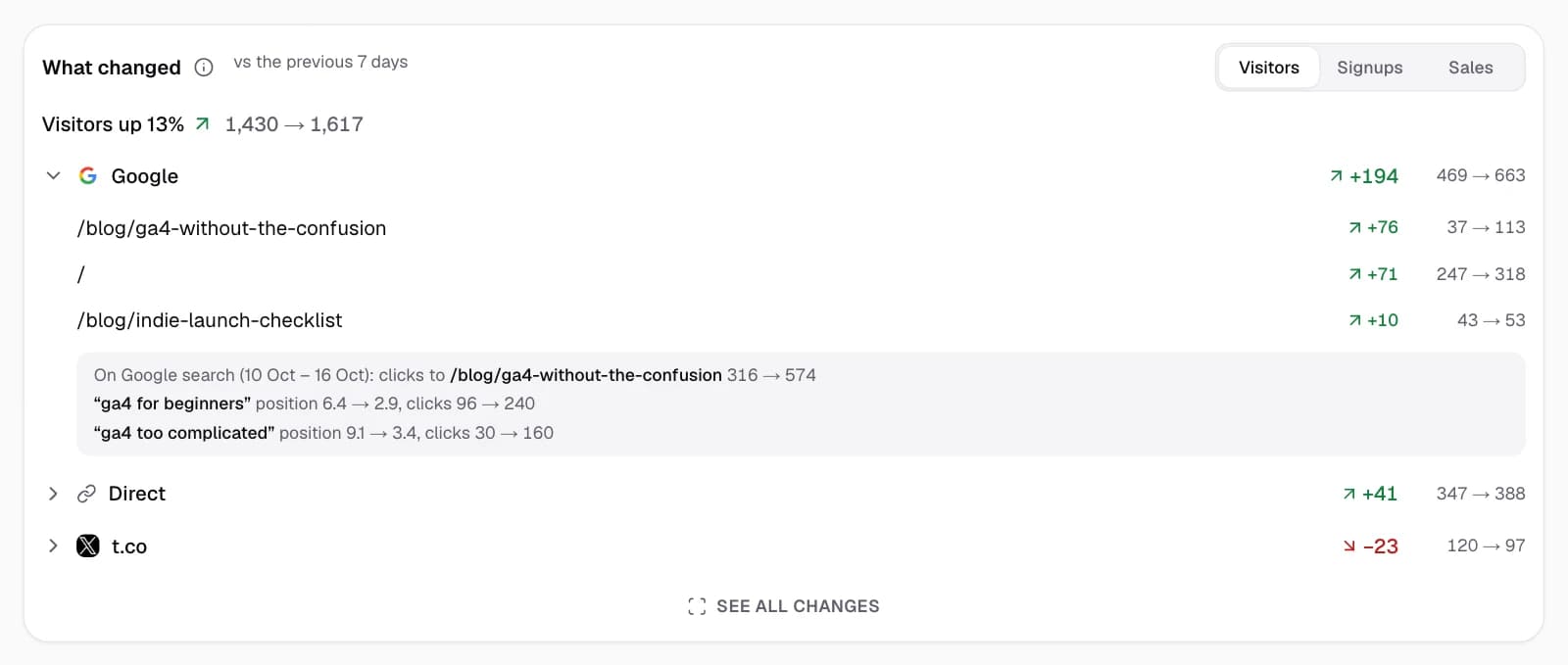
Right under the four numbers, What changed shows where a change came from: which sources moved your visitors against the period before, and the landing pages behind each move. With Pro it does the same for signups and sales, and for Google it adds the searches whose clicks moved.
Read it
The top line says how the number changed, for example "Visitors up 32%" with the counts before and now. Within 3% either way it says "about the same".
Under it are the three biggest moves, up or down: "Google +300 (120 → 420)". Open a move to see the landing pages that moved the same way:
- /blog/ga4-setup +250 (10 → 260), marked New when the page had no visits from that source before.
- For Google, with Search Console connected: "On Google search: clicks to /blog/ga4-setup 12 → 48", and the searches behind it with their position and clicks then and now.
See all changes lists every source that moved, with a CSV download.
Facts, not reasons
Every line is a count from Google, then and now. The card never says why something changed: it shows where, so you can look at what you did there (a post, a launch, a change on the page). Moves under 3 visitors, or 2 signups or sales, are left out, because on a small site they're noise.
The total can be steady while sources move a lot underneath, for example Google +120 and X −115. The card still shows those moves.
Plans
- Free: visitors.
- Pro: visitors, signups and sales, and the Google search lines. Plans.
Good to know
- Not enough history? When the period before starts before your GA4 property existed, the card says there's nothing to compare yet.
- Google search is 2 to 3 days behind, so its lines show their own dates.
- The Monday email has the same moves for last week. The Monday email.
Related
Last updated
The dashboard
What every number, chart and list on the SimpleDash dashboard means, which Google Analytics 4 metric is behind it, and where to find it in GA4.
Choose what counts as a signup
Tell SimpleDash which Google Analytics event means a signup, so the Signups number counts it. Pick a key event, and never see a fake zero.